For any enterprise—whether a multi-branch retail network, a private hospital, or a wholesale distributor—the company's relational database is its most valuable intangible asset. Sales ledgers, historical patient records, vendor liabilities, and years of inventory tracking reside within those tables. Yet when senior management is asked about their disaster recovery plan, the answer is often dangerously simple: "The accountant plugs in an external USB drive every Friday afternoon and copies the database."
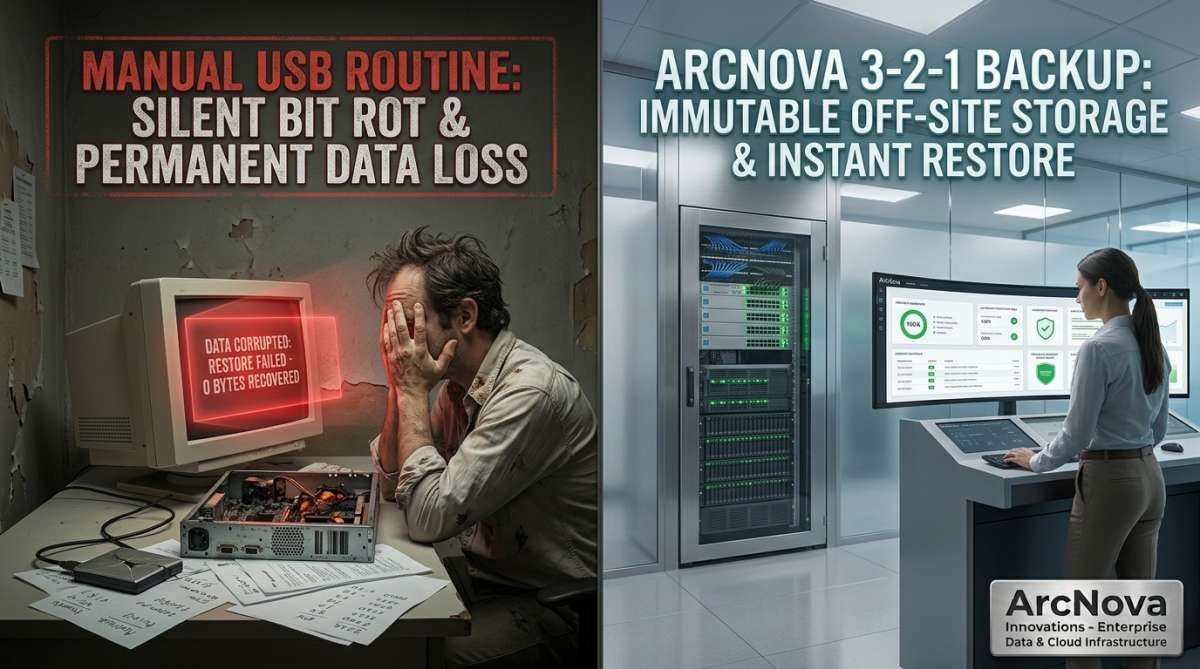
Relying on manual USB backups is an illusion of security that routinely shatters during genuine crises. If an external drive remains permanently connected to a workstation via USB, modern ransomware encrypts the backup drive in the exact same millisecond it encrypts the primary server. If the backup depends on human discipline, a busy month-end or employee vacation means backups are skipped for weeks without anyone noticing.
True operational resilience against ransomware, hardware crashes, and physical site disasters requires replacing manual file transfers with the industry-standard Automated 3-2-1 Backup Architecture.
Is Your Business Data Truly Protected from Ransomware & Hardware Loss?
ArcNova Innovations designs automated, immutable backup pipelines—featuring continuous local snapshot repositories, encrypted off-site cloud sync, and automated sandbox recovery testing.
Schedule an Enterprise Data Disaster Recovery Audit →The 3 Costly Flaws of Manual USB Backup Routines
- Ransomware Encryption of Connected Drives: Modern cryptolocker malware explicitly searches for connected local drives, mapped network shares, and USB mass-storage volumes. An external drive left plugged into a back-office PC offers zero protection; it is simply another target for encryption.
- Silent Data Corruption (Bit Rot): Consumer-grade external hard drives and thumb drives lack error-correcting parity. If a block corrupts quietly over months, staff continue copying data without running integrity checksums. When disaster strikes and an emergency restore is attempted, the database dump file is unreadable.
- Vulnerability to Physical Facility Disasters: Storing backups on a physical drive kept inside the same building as the primary server leaves data vulnerable to theft, office fires, short-circuit electrical surges, or water damage that wipes out both the server and its backup simultaneously.
Deconstructing the 3-2-1 Enterprise Backup Rule
The 3-2-1 framework is a time-tested, globally recognized engineering methodology that eliminates single points of failure across your data preservation pipeline:
- 3 Copies of Core Data: Maintain at least three distinct copies of your mission-critical data—one primary operational production database and two independent backup archives.
- 2 Different Media Types: Store those backups across two physically different storage technologies (e.g., enterprise Network-Attached Storage utilizing a high-end RAID array locally, alongside an isolated secondary repository), preventing common-mode hardware controller failures.
- 1 Copy Stored Off-Site (Air-Gapped Cloud): Keep at least one copy in a geographically separate, secure cloud data center or an immutable, air-gapped storage bucket. If the primary building suffers a break-in or electrical disaster, your business data remains intact and restorable from off-site infrastructure.
The Modern "3-2-1-1-0" Evolution: Immutability and Verification
Enterprise IT infrastructure today upgrades the classic framework into the 3-2-1-1-0 standard to neutralize sophisticated cyber attacks:
- The Extra "1" – Immutable WORM Storage: The off-site backup utilizes Write Once, Read Many (WORM) object locking. Even if a cybercriminal compromises domain administrator credentials, the off-site snapshots cannot be altered, overwritten, or deleted by anyone for a set retention window (e.g., 30 days).
- The "0" – Zero Errors on Automated Recovery Drills: A backup is only as good as its restore test. Enterprise systems perform automated, scheduled synthetic recovery drills in an isolated virtual sandbox, validating database table integrity and ensuring zero restore errors before an emergency occurs.
Manual USB Backups vs. ArcNova Automated 3-2-1 Architecture
| Resilience Parameter | Manual USB Flash Drive Routine | ArcNova Automated 3-2-1 Architecture |
|---|---|---|
| Execution Reliability | Dependent on human memory; easily skipped | 100% automated script execution on set schedules |
| Ransomware Resistance | Zero (Connected USBs are encrypted instantly) | Immutable, air-gapped cloud snapshots block alteration |
| Physical Disaster Immunity | Zero (Kept in the same office drawer or building) | Geographically isolated multi-region cloud replication |
| Integrity & Recovery Validation | Never tested until catastrophic failure occurs | Automated checksum verification and sandbox restore drills |
Converting Data Protection into Business Longevity
Surviving a major IT crisis—whether a server motherboard burnout, malicious ransomware encryption, or physical building damage—comes down to a single question: How quickly can your business resume operations with zero lost records?
Deploying an automated 3-2-1 backup infrastructure removes human error from disaster recovery, eliminates data extortion leverage, and guarantees that your enterprise can recover, rebuild, and reopen within hours of any unforeseen operational disaster.
Secure Your Critical Enterprise Data Today
Speak directly with our cloud and systems engineers to deploy an automated 3-2-1 backup pipeline and schedule an immutable disaster recovery audit.
Message Our Infrastructure Engineers on WhatsApp